








Features
Everything you need to run your classes, in one place
The booking page your customers see, and everything behind it: what you sell, the payments, the schedule, the instructor pay and the messages.
Your booking page
With your logo and colors
Drop-in classes
Book and pay in a few taps
Class packs
Sell sets of credits
Memberships
Sell custom subscriptions
In-person payments
A card reader, or Tap to Pay
Class scheduling
A weekly timetable that repeats
Instructor portal
Schedules and pay in one place
Email and SMS
Automated messaging
Waiting list
Empty spots go to people waiting
Found on Google and AI
Your classes in Google and AI search










No app to download
Run it all from your phone
TimiTomi works in your phone’s browser. The whole product, not a smaller mobile version.
Book someone in on the go. A customer asks, you add them in a few taps.
Take payment on the same phone. Tap to Pay, no card reader needed.
An instructor portal, included. Their schedule and their pay, on their phone.
Everything else
The rest of what is in the product today.
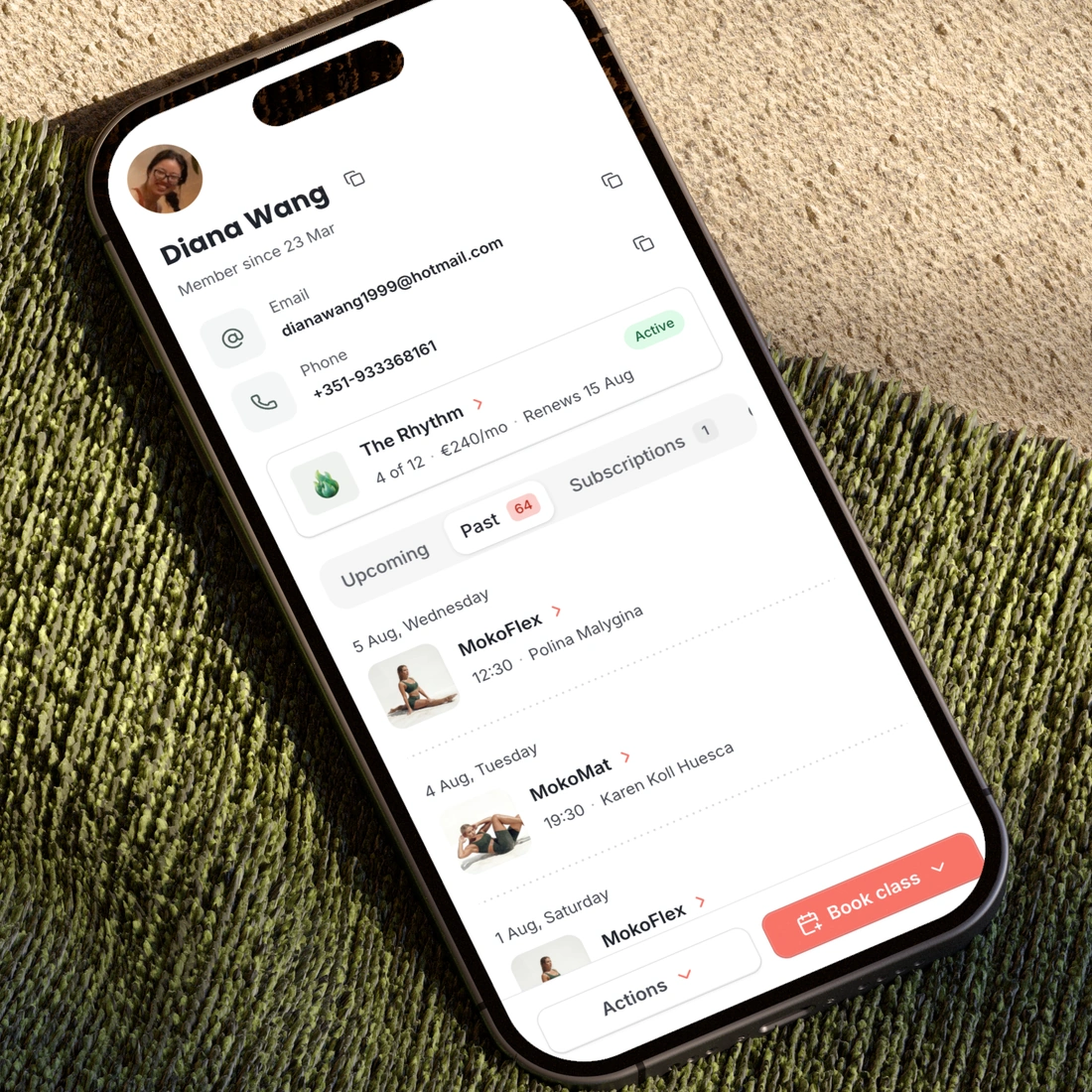
Customer records
A profile per customer with contact details, notes, full purchase and booking history, and credits grouped by pack or membership.
Front desk
A day and week view of every class in the studio, with a mark on the class happening now, the participant list, and a way to add someone in a few taps.
Bookings on behalf of a customer
Book, move or cancel for a customer, give them a pack or a membership for free, and reset their password.
Terms and consent
Write your terms, assign them to the studio or to one class, pack or membership, and keep proof of who accepted which version and when.
Payments and orders
Refunds and partial refunds, an order list with payment status, and separate labels for a declined card and an abandoned checkout.
Discount codes
A percentage or a fixed amount off, and codes you can attach to a reminder email.
Brand and appearance
Your logo, colors, description and social links, and a switch for every part of the booking page you would rather hide.
Marketing tools
Google Analytics, the Meta Pixel with the server-side Conversions API, and tracking through checkout so the sale is attributed correctly.
Private classes
A class that never shows on your public page. Add the people yourself, send each one a payment link, and see who has paid.
Calendar sync
Instructors connect Google or Outlook and their classes appear in their own calendar. Customers get a calendar file with their booking.
Team and access
Owner, admin and instructor roles. Invite people by email. Instructors see only their own schedule, pay and profile.
Setup and go live
Sign up with your Google account or with your email address, name your studio, pick your country and your disciplines, and get example classes. Nothing is public until you say so.
What TimiTomi does not do
Better to read it here than to learn it after you move your studio.
A marketplace
Your booking page shows your studio and nobody else. TimiTomi does not list your classes beside another studio’s, and your customer list stays yours.
Other payment providers
Card payments run through Stripe, online and at the desk, and through nothing else. One provider, one connection, and every payment in one order list.
ClassPass and Urban Sports Club
TimiTomi does not connect to ClassPass or Urban Sports Club yet. We are planning to add both.


Ready when you are
Build it this week. Pay when you open.
Set up your classes, your prices and your booking page for free. You pay only when you go live.
Get started for free- Free until you go live
- 0% of what you sell